> For the complete documentation index, see [llms.txt](https://docs.pockethrms.com/llms.txt). Markdown versions of documentation pages are available by appending `.md` to page URLs; this page is available as [Markdown](https://docs.pockethrms.com/faqs/cloud-portal/employee/employee-list/profile/approval-matrix.md).
# Approval Matrix
### 1. How to Delete the Manager for Leave, Attendance Regularization, On-duty in Approval Matrix?
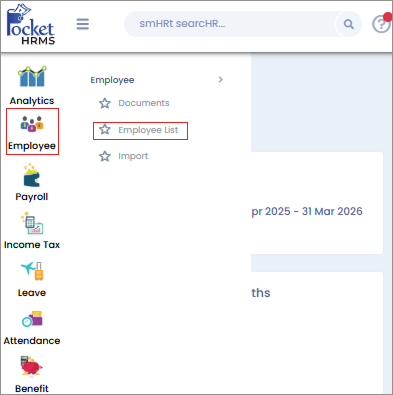
**Path:** Cloud> Employee> Employee List > Select the Employee Profile for whom you want to delete the manager > Approval Matrix > Select the module where the previous manager is assigned > Click on the delete icon to remove the old manager > ok.
**Step 1:** Login to cloud portal, go to ‘Employee’ menu, select ‘Employee List’ sub-menu and select the employee profile for whom you want to delete the manager.

**Step 2**: Click on ‘Approval Matrix’ tab, select the module where the previous manger is assigned and click on ‘Delete icon’ in the corner. Select ‘Ok’ to confirm the changes.
 

**Note:** Ensure that there are no pending requests for that employee and module before deletion else system will not allow deleting the manager.
Link:
For any queries, contact