> For the complete documentation index, see [llms.txt](https://docs.pockethrms.com/llms.txt). Markdown versions of documentation pages are available by appending `.md` to page URLs; this page is available as [Markdown](https://docs.pockethrms.com/faqs/cloud-portal/ess-settings/profile-info/geolocation-setting.md).
# Geolocation Setting
### 1. How to change punch radius for employees?
To change punch radius for an employee, refer the path below:\
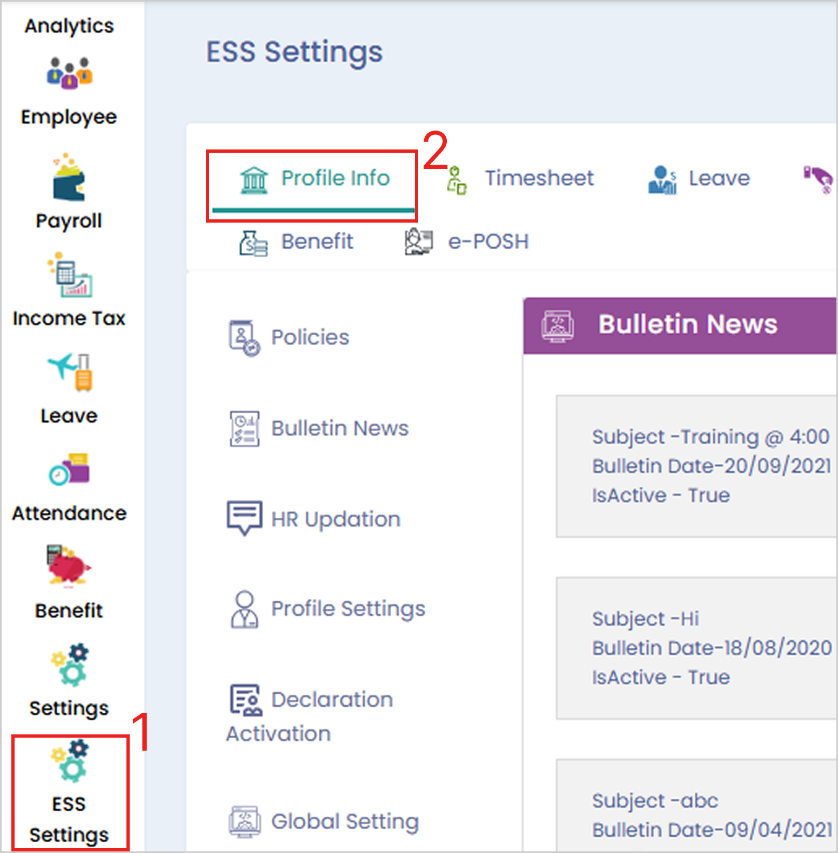
**Path:** Cloud Login > ESS Settings > Profile Info > Geolocation Setting > Click on the edit icon of the location > Change the radius > Click on Update.
**Step 1**: Login to the **cloud portal**, go to **‘ESS Settings’** and select **‘Profile Info’** tab.
**Step 2:** Then select **‘Geolocation Setting’** option and click on the **‘Edit Icon’** of the location you want the change the radius for.

**Step 3:** Change the ‘Radius’ and click on ‘Update’.

**Link:**
For any queries, contact