> For the complete documentation index, see [llms.txt](https://docs.pockethrms.com/llms.txt). Markdown versions of documentation pages are available by appending `.md` to page URLs; this page is available as [Markdown](https://docs.pockethrms.com/pocket-hrms-2.0-mobile-app/leave-and-attendance/my-report/on-duty-report.md).
# On Duty Report
### On-Duty Report
### How to get On-duty Report from Pocket HRMS 2.0 Mobile Application?
**Path:** Login to mobile app of Pocket HRMS 2.0 > click on 3 horizontal lines (Hamburger menu) > Leave > My Reports > On duty
**Step 1:** Log in to the Pocket HRMS 2.0 mobile app and tap on the 3 horizontal lines (Hamburger menu) located at the top left.
**Step 2:** Within the Leave section, navigate to the ‘My Reports’ tab.
**Step 3**: Click on ‘On duty’ to access and view the specific report details for your on-duty records.
**Note:** On-duty reports include the following:
* On duty date
* In Date
* In Time
* Out Date
* Out Time
* Day Type
* Type
* Remark
* Status
### Filter Icon
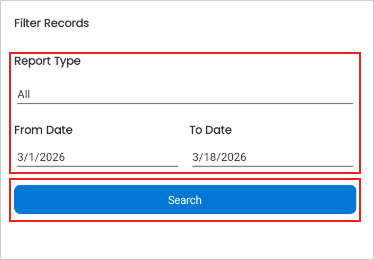
Filers the specific Report type of specific date of your need
Click on filter icon> Fill in the report type and date range > search
### Manager Remark
Displays the remark given by manager regarding approval or rejection of the on duty.
{% embed url="" %}
For any queries, contact