> For the complete documentation index, see [llms.txt](https://docs.pockethrms.com/llms.txt). Markdown versions of documentation pages are available by appending `.md` to page URLs; this page is available as [Markdown](https://docs.pockethrms.com/faqs/cloud-portal/settings/hr/joining-documents.md).
# Joining Documents
### 1. How to delete the joining documents field?
To delete joining document field, follow the path below:
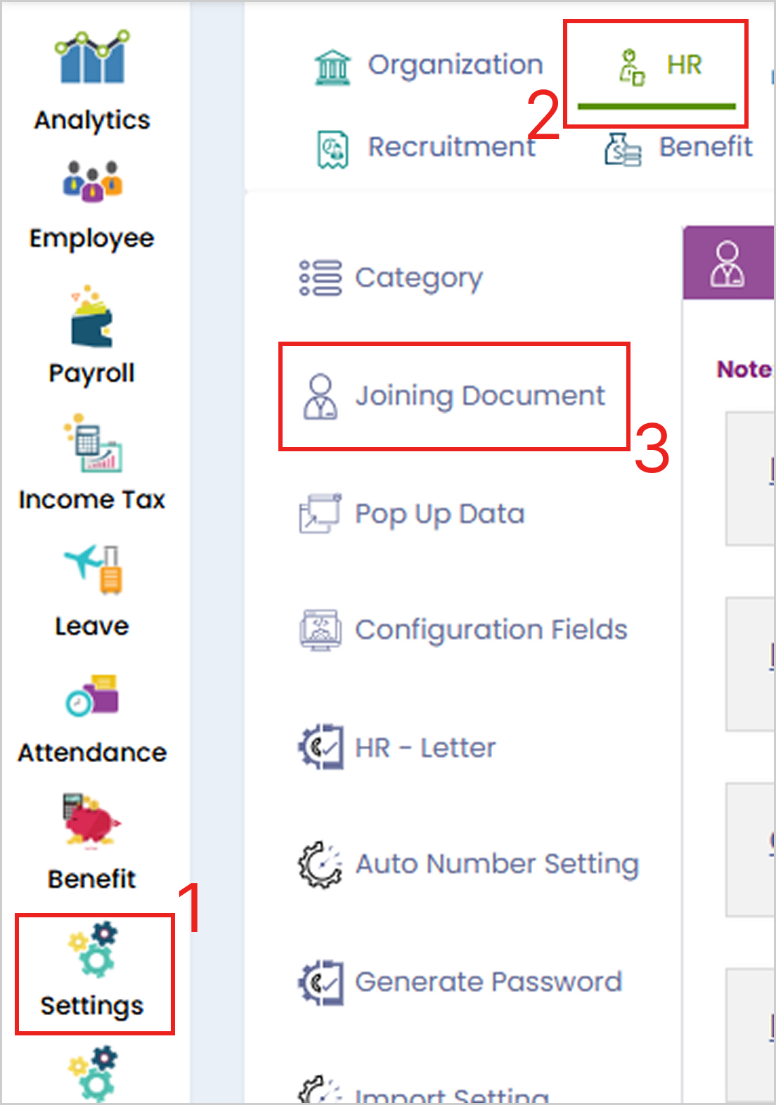
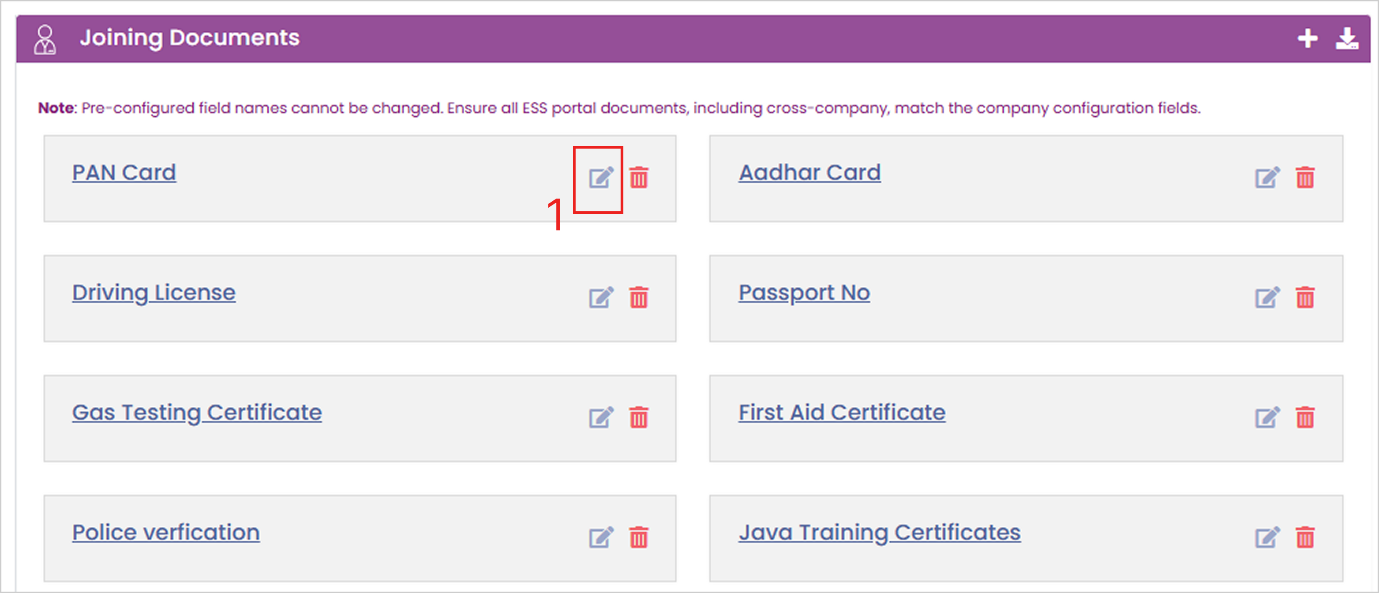
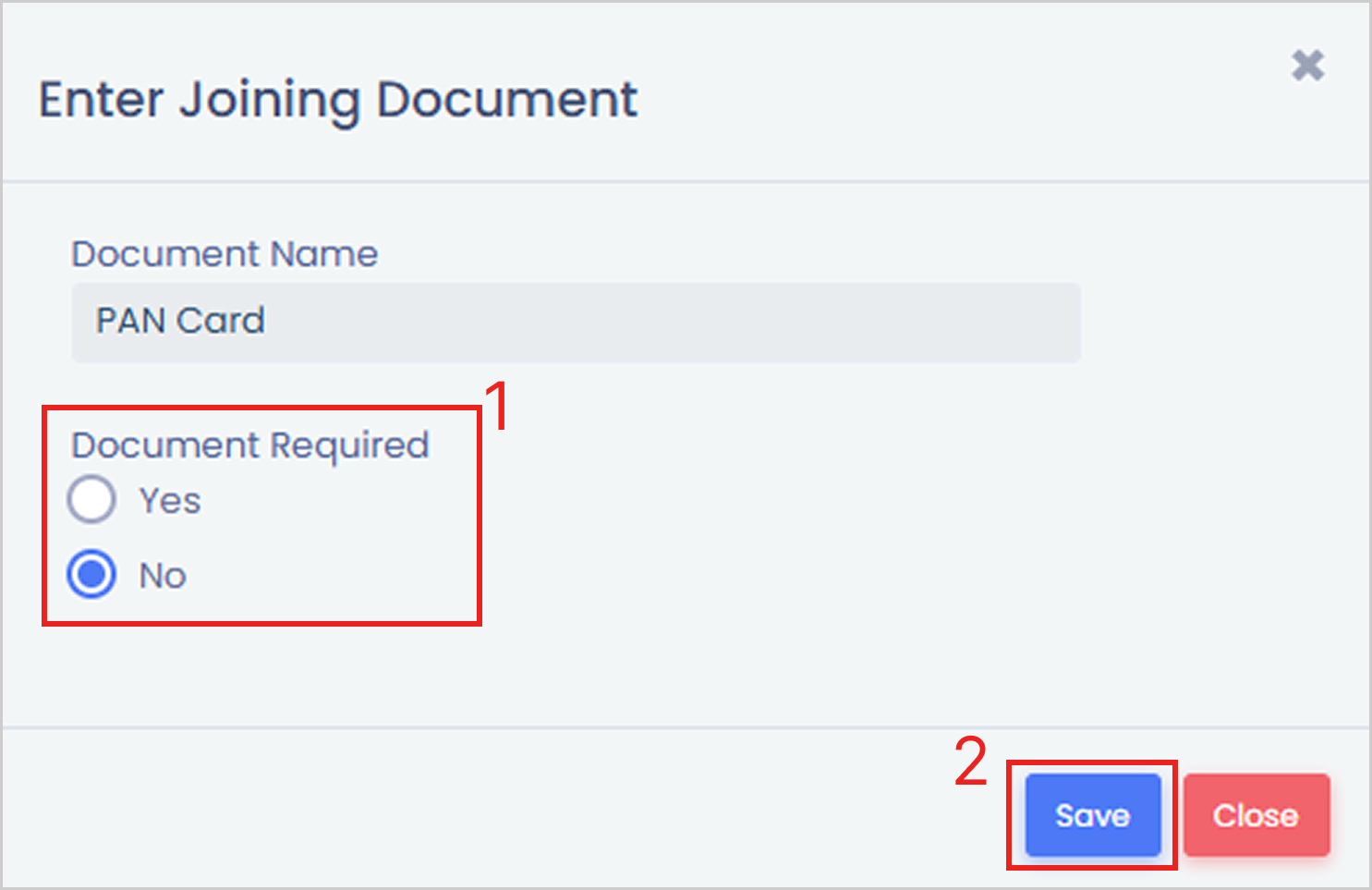
**Path:** Cloud Login> Settings > HR > Joining Document > click on delete icon in front of the document field and click ‘Ok’ > Or click on edit and make it required or not required > Save.
**Step 1:** Login to cloud portal, go to ‘Settings’ menu and under the ‘HR’ tab, select ‘Joining Document’ sub-tab.
**Step 2:** Click on ‘Delete icon’ in front of the document field and click ‘Ok’, or click on ‘Edit icon’ and make it’ required or not required’ option. Then click on ‘Save’.


Or
**Link:**
For any queries, contact